Blog

Better Stack Alternative: Monitoring Without the Observability Overhead

Better Stack is one of the best-built monitoring products around - fast checks, real phone alerts, and a full observability platform behind it. But if all you need is uptime monitoring, you may be paying platform prices for a checker.

Here is what Better Stack does best, the signs you are overpaying, and the alternatives that deliver monitoring without the observability overhead.

Best Website Monitoring Tools in 2026: Compared and Ranked

Every website goes down eventually - what separates a minor blip from a lost customer is how fast you find out, and whether you beat your visitors to it. We compared ten of 2026's website monitoring tools on price, check types, alerting, and free plans. Here is how they rank.

Pingdom Alternative: 7 Monitoring Tools That Cost Less and Do More

Pingdom is polished and reliable - but its Starter plan gives you just 10 monitors for $15/month, no voice-call alerts, and none of the blacklist or security checks many teams need. Here are seven Pingdom alternatives that cost less, monitor more, or both - each compared honestly against live 2026 pricing.

UptimeRobot Alternative: What to Use When the Free Plan Is Not Enough

UptimeRobot's free plan built its reputation on 50 monitors checked every five minutes, free forever. But in 2026 it is restricted to non-commercial use, and paying to upgrade is not automatically the best deal.

Here is when the free plan stops being enough, what the paid tiers cost, and six UptimeRobot alternatives worth comparing first.

Guide how to configurate Transaction check

Automates web site transaction such as form submission or site traversal. Checks web operations consistency according to the specified validations in the following steps.

Guide how to configurate Web risk

Check URLs against Google's constantly updated lists of unsafe web resources. Unsafe web resources include social engineering sites, such as phishing and deceptive sites, and sites that host malware or unwanted software. 

Guide how to configurate Page Speed

PageSpeed - website performance test from selected location of the globe using browsers. It checks for problems each element of the page and measures time, required for its download or execution.


Guide how to configurate Database check

Test your DB performance. Check DB connection, availability, authentication. Run a specific query to analyze the data. Collects statistics of DB performance, growth and other preset values.

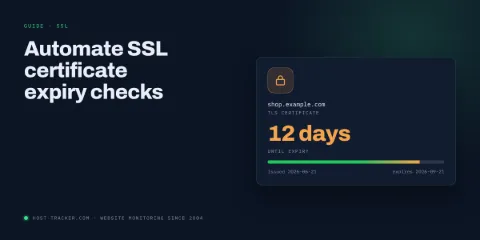
Guide how to configurate Certificate expiration

Set up Certificate Expiration Monitoring to receive timely alerts before your SSL/TLS certificate expires. Simply select the monitoring type, enter your Domain/IP, configure check intervals, and choose notification preferences to be alerted one month, 7 days, and 3 days before expiration, or daily if already expired. This ensures you stay proactive about certificate renewals and avoid downtime.

Guide how to configure Russian BL check

Monitor the appearance of a domain or IP in the Russian Black List with Russian BL check. Simply select “Russian BL check” as the monitoring type, enter the URL/Domain/IP. Configure options like prefix matching and warning handling to customize monitoring, and choose notification preferences to receive alerts before or after any listing. This setup ensures you’re promptly informed of blacklisting issues affecting your domain.

Guide how to configure API monitoring/text analysis

This guide details configuring API monitoring and text analysis, from setting check intervals and customizing options like logging and sharing statistics to defining content policies and handling HTTP methods. It also covers managing headers, selecting monitoring locations, and setting up notifications, enabling comprehensive monitoring and accurate analysis of API responses.

How to Calculate Uptime

Learn how to calculate uptime easily. Our guide provides simple steps to measure system reliability and ensure optimal performance. Boost your website's availability now!

About 5xx response status code

Unlock the secrets of 5xx server error status codes with our comprehensive guide. Learn how to diagnose and fix common issues like 500 Internal Server Error, 502 Bad Gateway, and others to enhance website performance and reliability.

4xx Status Code Meanings and Roles

Explore the meanings and roles of 4xx HTTP status codes, which signal client errors. This article covers common codes like 404 and 403, detailing how they guide website-user interactions and troubleshooting.

Meaning of HTTP 300 status code group

Delve into the 3xx HTTP response status codes, covering their role in URL redirection, their significance in website performance and SEO, and an overview of common codes like 301 (Permanent Redirect) and 302 (Temporary Redirect).

Web Status Code 2xx Group Explained

2xx status codes mean the request was successfully processed. These codes indicate successful actions, ranging from 200 (OK) to 206 (Partial Content), confirming effective communication between client and server.

What http 1xx status codes mean?

1xx status codes indicate informational messages about the ongoing operation, often related to slow loading or procedural issues. These messages are not visible to the end user and do not signify any critical errors.

How to find where a website is hosted

Whether you are a competitor analyzing industry websites, an individual concerned with security, or someone looking to switch hosting providers, 'How to Find Where a Website is Hosted' is the article for you.

Recheck strategies to confirm site newly obtained status

HostTracker monitoring system checks sites according to given policy in monitoring configuration. The detected status, UP or DOWN, could be local or temporal, and, therefore, is the subject for verification and confirmation before the next action, an alert or uptime statistics update, takes place. 

Examples of errors such as downtime due to new deployment and configuration propagation (DNS unavailability), local site blacklistting, incompatible environment of checking agent to server technologies, are verified with rechecks from locations of configured geo location.

What is server monitoring?

A server monitoring service provides constant surveillance of your website to check server uptime and performance.

What is uptime?

Uptime is a computer measure of system reliability during which a computer or system is operational and has metric as the percentage of time.

How to check if a website is down

Learn how to check if a website is down and what tools to use. Why is it better to automate this process? Practical tips for configuring the toolkit.

What is WHOIS

WHOIS is a database and tool to find out who owns the domain name you want or are looking for, how to contact the owner, and when the ownership expires.

How to check website speed

If you're looking for a website speed test tool, you've come to the right place. Here you will learn how HostTracker tools work. How to check the site loading speed: desktop version and mobile version of the site.

What is DNS Blacklist

Find out what the DNS blacklist is, how it works. Check your domain or SMTP for availability at DNSBL. Get tips on how to remove your project from the spam database, as well as tips on how to avoid getting blacklisted.

Website content check

Is your site intact, do your customers see all the information you might want them to? There is a way to automatically check the content of the page, particular words, phrases or even more complicated entities. This helps to make sure that the website is not only available, but works exactly as planned.

Basic Website Check

Basic website check uses HTTP web protocol, which is actually used by anyweone browsing the web. This kind of check allows one to create a monitoring task, to check a website on a regular basis just as a human customer would do. Although the web nowadays is pretty complicated - and so possibly could be a monitoring task - general features are pretty simple to set up.

How to automatically pause Google Ads campaign when your site gets down?

With current advertisement pricing you probably wish to be sure about its efficiency. But in real life, even the most reliable web sites sometimes fail. So the question is: how not to lose money when it happens?

Let's check what are the pitfalls and how can we solve this problem with HostTracker website availability service.

Why Your Website Needs Uptime Monitoring


In a digital world where we want everything right now, a website that is not available at the moment is a website we probably will not go back to in the future. That much should be obvious to everyone. If you are not careful, your website could be sending your visitors to your competitors. So how do you keep track of your website 24/7?

Tracking for Projector-Camera Systems

When you're looking for a Tracking for Projector-Camera Systems, there are many factors to consider. In this comprehensive guide, we will break down the important features and specs so that you can make an informed purchase. Plus, we'll provide some tips on how to use your Tracking for Projector-Camera Systems once you've bought it!

Monitoring of Video Cameras

Video cameras are gaining more and more applications every year. Besides the security issues, a lot of others, related to house and family care, entertainment, education etc are widely used nowadays.

Database Monitoring with HostTracker

We’re happy to introduce our newest monitoring feature - Database Check – that is easy to use, crystal-clear to understand and designed to get you through your website ‘critical hours’ as smoothly as possible.
How to get alerts from HostTracker

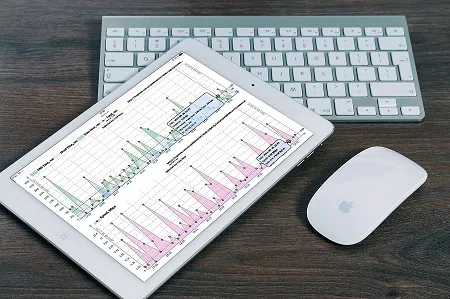
In today’s high speed, high pressure and high-stress world it’s utterly important to keep up with things going on with your website. Being well-informed means being in the know of how speedily the monitoring service can contact you - as how will you save the world if you don’t know what’s happened in time?

Monitoring server performance with HostTracker

HostTracker offers numerous simple-yet-powerful instruments to keep your website running smoothly. That implies it delivers deep insight into server resource parameters such as CPU, RAM and HDD. Read on to find out more about “Monitor CPU, RAM, HDD” tool, and why you should adopt it.

How to monitor availability of any web site?

The main feature of HostTracker monitoring service is the regular checks of web sites with monitoring intervals from 1 minute. Moreover, the HostTracker’s dedicated global monitoring checkpoints network currently includes more than 140 servers all over the world.
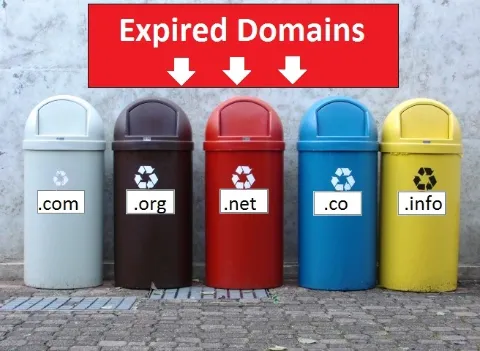
Domains: do they have afterlife?

Every year, millions of domain names are lost. What happens after domain expires? How long will your domain wait for you before someone grabs it? And how to omit this?  

Monitor your domains for any changes. You can keep an eye on the state of available domains which you like, but don’t forget your own ones too. There is a wide variety of services, like HostTracker, which provide an easy, efficient way to track any changes of domain’s state.

What could we check by using the cloud services? Part 2

  In the beginning, HostTracker company was founded on the basis of a simple website to provide free customer services. Though, a few years later, this startup developed a wide variety of tools serving to solve various problems, including different network issues. In a series of publications, we have decided to describe thoroughly all the features of our service, also to share our experience in the development of such projects with you and to mention interesting challenges that we faced. 

Why do we need monitoring? The overview of the HostTracker service. Part 1

Why there is a need in monitoring? How the monitoring could help in the sites and servers development and testing? This review will answer to these questions and will also show how the simple desire to optimize your work may be transformed into a useful product for others, as well as, how not to lose the ‘startup spirit’ and always keep up with your clients.

Snapshot - instrument for site supervision

How does the site look like when I’m not looking at it? What if it looks bad or does not work at all? HostTracker offers an instrument for site supervision - snapshot feature. Let’s take a look at its practical application.

Escalations. Typical scenarios

As many people know, HostTracker is a sites efficiency monitoring system. One of its main functions is to notify the user of any problems promptly. The efficiency of the notifications and the acceptable level of “detalization” are important. If you send alerts at each “sneeze”, the person will not find the important information in this flow...

HostTracker — Sites Monitoring Service

Every site owner knows how important it is to have your resource always operative and available for visitors. Periodical site unavailability has a bad influence even at its positions in the search engines (as Google representatives have repeatedly claimed), not to mention the fact that visitors are extremely displeased by such “accidents”...

Host Tracker: Site drop notification for business only

No one person is capable of monitoring the performance of a site 24 hours a day, 7 days a week. Moreover, a resource may be unavailable in another region and there is no way for a manager to track this. And it is to solve these problems that the HostTracker service, which monitors the availability of the site, is designed to do just that. It detects site drops, analyses the problem and sends an alert to the administrator or resource management...

Host-Tracker under Windows Azure

Those, who actively involved with the Web, should know HostTracker, a company from Ukraine, which has been supporting one of the leading global web monitoring services since 2004. Its goal is to monitor site health and accessibility in near-real-time access. Using alert message system, HostTracker allows to reduce downtimes, to improve quality of service for users, to quickly localize troubles...