Synthetic transaction monitoring

Website Transaction Monitoring

HostTracker's website transaction monitoring automates site transactions such as form submissions or multi-page site traversal. It checks web operations consistency according to the specified validations in the following steps.

It is synthetic monitoring in the strict sense: a real browser, driven by HostTracker's checkpoints on a schedule, replays the journey your customers take - log in, search, add to cart, check out - and fails the check at the exact step that stops working.

30-day free trial · all features · no credit card required
checkout · transaction check
All 4 steps passed
1 · Open homepageok
2 · Log inok
3 · Add to cartok
4 · Checkoutok
Replayed from a HostTracker location · just now

Key takeaways

  • A transaction monitor replays a multi-step scenario in a real browser - opening pages, filling forms, signing in, following links - and asserts on each step.
  • A failure names the step that broke, so you learn which part of a checkout or a login stopped working rather than only that the site answered.
  • Scenarios run on your schedule from the locations you choose, in the same browser fleet the page-speed checks use.
  • Alerts arrive by email, SMS, voice call, Slack, Microsoft Teams, PagerDuty, Telegram, Discord or a signed webhook.
  • Paid plans start at $14 per month and the 30-day trial covers 100 monitors with no credit card; the permanent free plan covers website and response-time checks only.
Transaction Monitoring

Catch broken checkouts before they cost you sales

Flow

End-to-End Flow Testing

HostTracker's transaction check service ensures that all stages of an online transaction process are functioning correctly. It tests each step of the process, from adding items to a cart to completing a purchase. This helps find and fix problems that could stop customers from buying, which improves the customer experience and reduces lost sales.

Simulation

Forms, Clicks & Redirects

HostTracker's transaction check feature is comprehensive and covers various aspects of an e-commerce transaction. It includes things like form submissions, button clicks and page redirections, to copy how real users behave. This tests the whole purchasing process to make sure it works well. It also provides detailed logs and reports to help administrators quickly find and fix any issues, without affecting the user's purchasing journey.

Revenue

Fewer Lost Sales

Transaction checks make e-commerce websites more reliable and efficient. It helps keep transactions running smoothly by fixing problems before they happen. This means customers are more satisfied and trust the site more. It also helps to keep customers happy by avoiding lost sales. This makes it a useful tool for online shops.

Turn an instant check into 24/7 monitoring
Add your site once and HostTracker watches it around the clock from 300+ locations, alerting you the moment it goes down.
Start free trial

What synthetic transaction monitoring is - and what it isn't

Synthetic monitoring means the traffic is generated on purpose: instead of waiting for a visitor to hit a problem and hoping they tell you, a monitoring service drives your site itself, on a schedule, from outside your network. Transaction monitoring is the multi-step form of it. A simple synthetic check requests one URL and looks at the answer. A transaction check opens a real browser, walks an ordered scenario - open the page, log in, search, add to cart, check out - and asserts on what it finds at each stop.

The difference matters because most of what customers actually do on a website is a sequence, not a page view. Every individual page in a checkout can return HTTP 200 while the checkout itself is broken: a button removed by a deploy, a form posting to an endpoint that now 404s, a JavaScript error that stops the wizard on step three. Nothing about those failures shows up in a status code, so nothing about them shows up in ordinary uptime monitoring.

Not the same thing as financial transaction monitoring. In banking and compliance, "transaction monitoring" means screening payments for fraud and money laundering. This page is about the web-operations meaning: automatically replaying a user journey on your own website to prove it still works. HostTracker is a website monitoring service - it watches your checkout flow, not your payment ledger.

What a transaction check catches that an HTTP check cannot

A fast HTTP check is the right tool for "is the site up". It is a single request, so its verdict is a single response: the status code, the response time, and whatever keyword or assertion rule you set on the body it received. That is a lot of coverage for very little cost - and it stops precisely where the first response ends. Everything below the line in this table happens after that point.

What actually brokeFast HTTP checkTransaction check
Server unreachable, DNS failure, TLS handshake refusedCaughtCaught
The landing page returns 500 after a deployCaughtCaught
The page loads, but the "Add to cart" button was removed by a releaseMissed - the HTML still returns 200Caught - the click step cannot resolve its selector
The login form posts to an endpoint that now 404sMissed - the form's own page is fineCaught - the step after the submit never reaches the account page
A JavaScript exception stops the checkout wizard on step twoMissed - JavaScript never runsCaught - the browser runs the script, and the check can fail on console errors
The payment page renders an error banner instead of the confirmationMissed - a rendered error is still a 200Caught - a content assertion on the confirmation text fails
The session cookie stops being set, so step three bounces back to the login pageMissed - there is no session to loseCaught - one browser session runs the whole scenario
A third-party script - chat widget, tag manager, payment SDK - blocks renderingMissed - third-party assets are never fetchedCaught - the browser fetches them like a visitor does
The flow works but each step now takes eight secondsPartly - only the first response is timedCaught - each step is timed, and a step can time out

Neither check replaces the other. The honest recommendation is to run both: a one-minute HTTP check on the same site for fast outage detection, and a transaction check on the one or two journeys that actually produce revenue. If you want the availability half first, start with distributed availability monitoring from 300+ checkpoints and add the flow on top.

How a transaction check actually runs

Each run starts a real, headless Chromium browser on one of HostTracker's checkpoints and gives it one browser session for the whole scenario. That single detail is what makes the check meaningful: cookies, tokens and login state set in step two are still there in step five, exactly as they would be for a person clicking through your site. JavaScript executes, redirects are followed - including the ones your own scripts trigger - and third-party assets load the way a visitor's browser loads them.

The scenario is sequential and fail-fast. Steps run in the order you wrote them, and the first step that fails ends the run and becomes the reported cause. You never get a wall of downstream errors caused by one broken button - you get the broken button.

BrowserReal headless ChromiumJavaScript executes; redirects, cookies and third-party assets behave as they do for a visitor.
Scenario size1 to 10 stepsPlus an automatic opening navigation to the monitor's own URL, which you do not have to author.
Time budgetUp to 40 secondsFor the whole transaction. Navigation steps use a 20-second default of their own unless you override it.
Check interval10 minutes to 24 hours10, 15, 30 and 45 minutes, then 1, 2, 4, 6, 12 and 24 hours.
EvidenceScreenshot + per-step timingsA screenshot after the final step by default, another one captured when a step fails.
Noise controlMedia skipped by defaultImages and media downloads are skipped unless you turn them back on, so runs stay fast.

Two optional switches change how strict a run is. Fail on console error turns any browser console error into a failed check - powerful on a well-behaved application, and paired with an allow-list of up to ten substrings so a known-noisy third-party script does not cry wolf. Skip loading media files is on by default; turn it off when the thing you are testing is the media itself.

The actions a scenario is built from

A transaction is a list of steps, and each step is one action against the page. There is no macro recorder to go stale - you build the scenario explicitly, which is also why it keeps working when your marketing team changes the copy on a button.

ActionWhat the step does
navigateOpen a URL. The first navigation - to the monitor's own address - is added for you as step zero.
clickClick an element resolved by CSS selector, or a viewport coordinate. Left, right or middle button, with an optional hold delay.
typeType text into a field, optionally with a delay between keystrokes so the page's own input handlers keep up.
selectAssert on a selector's cardinality: it must match nothing, exactly one element, at least one, or any number. Acts on all matches, the first, or a random one.
checkContentAssert on the rendered text. Up to ten keywords, any or all of them, case-sensitive or not, present or deliberately absent, and optionally only in the visible text.
hoverHover an element - the way you reach a menu or tooltip that only exists on mouse-over.
waitForNavigationWait for the page to navigate, optionally failing the step when no navigation happens in time.
sleepPause, from 1 millisecond up to 10 seconds, with optional random jitter so a scenario does not hammer the same instant every run.
screenshotCapture the page mid-flow, so a failure two steps later still shows you what the page looked like on the way in.
backGo back one entry in the browser history.

Any step can carry a screenshot and a wait-for-navigation afterwards, its own timeout override, and a short name of up to 19 characters. Name your steps - the name is what appears in the result and in the alert, so "3 - submit login" is the difference between a page that is "down" and a page whose login POST stopped redirecting. In the web editor, screenshots and navigation waits are offered as after-step behaviours; the full action set including hover is available through the API.

Setting up your first transaction monitor

  1. Add a monitor and choose Transaction check as its type. The 30-day trial covers it - 100 monitors, every check type, no credit card.
  2. Enter the URL the journey starts at. That opening navigation becomes step zero automatically, so the ten steps you can author are ten steps of real work, not nine plus a page load.
  3. Add the steps in order. For anything you click or type into, use a stable CSS selector - an id or a data- attribute you control, not a generated class name that changes with the next build.
  4. Assert as you go. A checkContent step after each meaningful transition is what turns a sequence of clicks into an actual test: after the login, assert on the account-page text; after checkout, assert on the confirmation wording.
  5. Pick the interval - 10 minutes to 24 hours - and the checkpoints it runs from. HostTracker's fleet spans 300+ checkpoints across 158 cities, so you can run the flow from the regions your customers are actually in.
  6. Choose the contacts that get alerted and how long they wait first. Different people can sit at different rungs of the ladder, so an on-call engineer hears immediately and a manager only if it is still broken an hour later.
  7. Save, then open the first result. Read the per-step timings once while everything is healthy - that baseline is what makes the first real failure obvious.

If you want to sanity-check the starting URL before building the scenario, run a free instant HTTP check on it - no login required - or measure how the page loads in a real browser with the free page speed test.

What happens the moment a step fails

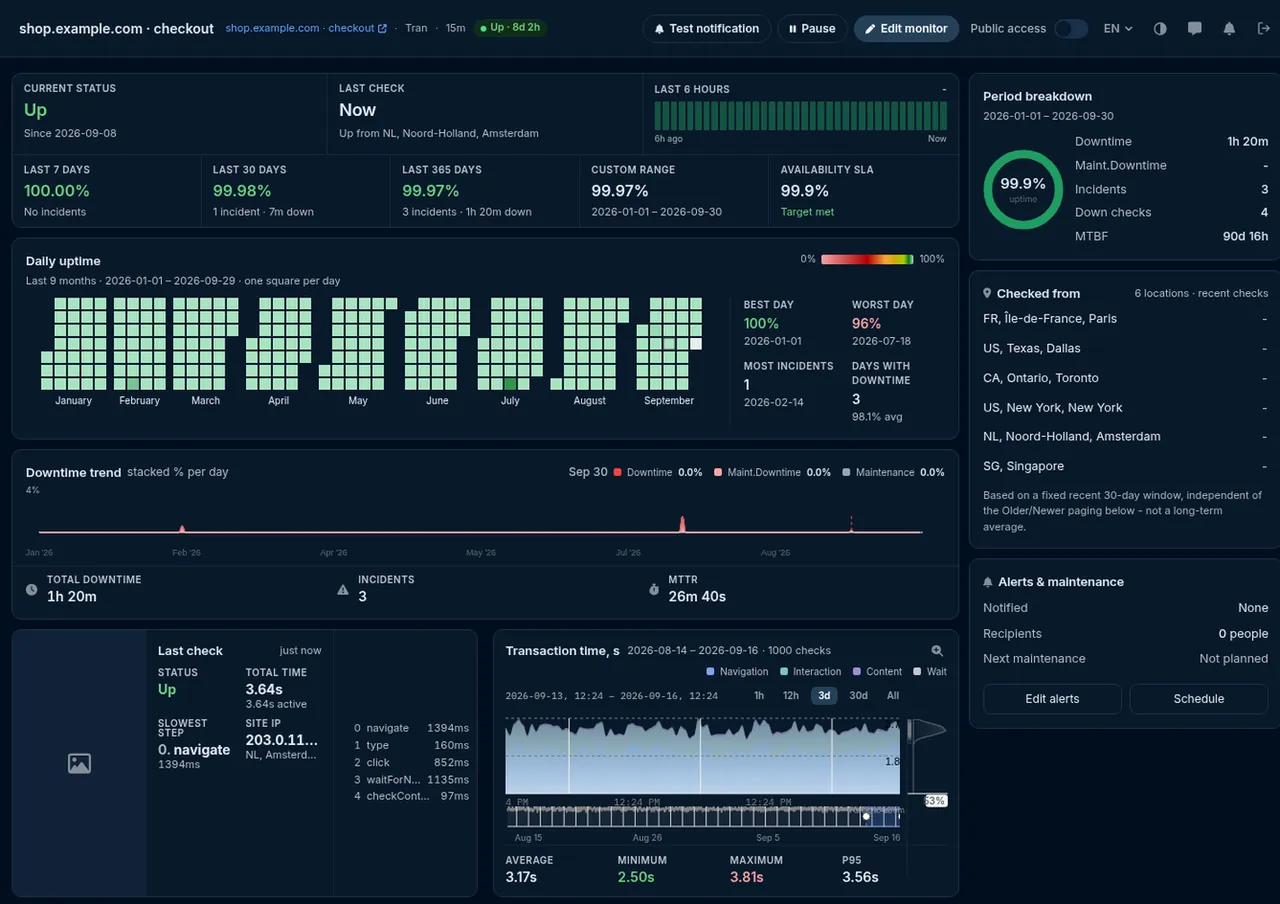
The run stops at the failing step and records what it saw. The result names the step, classifies the failure - a timeout, an element the selector could not resolve, a content assertion that did not match, an HTTP error, a connection error, a browser console error, or a misconfigured step - and keeps the per-step durations, the URL, IP and HTTP status each navigation landed on, the browser's console messages, and a screenshot of the page at the moment it broke.

Then it is double-checked before anyone is woken up. A single failing observation is not treated as an outage: the check is re-run across additional independent checkpoints and the state change is only confirmed when the quorum agrees. The default is a majority verdict across up to seven agents with a minimum of three - so one flaky checkpoint, or one transient network hiccup between a data centre and your host, cannot manufacture an alert on its own.

Once the transition is confirmed, alerting follows the delay each contact chose: immediately, or only after 3, 5, 15, 30 or 60 minutes, or 3, 6, 12 or 24 hours of continuous failure. Alerts go out over the nine notification channels HostTracker supports - email, SMS, voice call, webhook, Slack, web push and the messenger apps Telegram, Discord and Viber - and a recovery notice follows when the flow starts completing again.

checkout · failed run
Failed at step 3 of 4
0 · open homepageok · 812 ms
1 · log inok · 1.4 s
2 · searchok · 640 ms
3 · add to cartselector not found
4 · checkoutnot reached
Screenshot + console log attached · confirmed by 5 of 7 checkpoints
Worked examples

Which flows to automate first

Start with the one journey whose failure costs you money, get it green, and only then add the rest. A monitored flow you trust beats five you half-configured.

E-commerce

Cart to checkout

Open a product page, click add to cart, assert the cart badge shows one item, open checkout, assert the total and the payment form rendered. Stop one step before the order is placed and you get full coverage with no test orders in your database.

SaaS

Log in and reach the dashboard

Type a dedicated test account's credentials, submit, wait for the navigation, then assert on text that only exists once the session is real. This is the single highest-value scenario for most applications - a broken login is a total outage that returns 200 on every page.

Lead gen

Contact form submission

Fill the fields, submit, assert on the thank-you wording. Silent form breakage is the classic invisible outage: nothing errors, nothing alerts, and the enquiries simply stop arriving until somebody notices weeks later.

Search

Search returns results

Type a query that must always match something, submit, then assert both that a known result is present and that the empty-state wording is absent. That second assertion is what catches a search index that quietly stopped rebuilding.

Onboarding

Signup up to the last click

Walk the registration form to the final confirmation screen and assert on it, pointing the form at a test target so monitoring never creates real accounts. Signup breaks quietly and expensively - nobody complains about a signup they could not complete.

Account

Password reset

Request a reset and assert the confirmation screen appears. It depends on your mail pipeline, your queue and your token service, so it is an unusually good canary for backend problems that the front page never shows.

Limits worth knowing before you build

A transaction check is the most powerful monitor HostTracker offers and the one with the most real-world constraints. Knowing them up front saves an afternoon.

  • Ten steps and 40 seconds. A scenario runs at most ten authored steps inside a 40-second budget. A journey longer than that is better split into two monitors - "can they log in" and "can they check out" - which also tells you which half broke.
  • Ten minutes is the fastest interval. Browser checks are expensive to run and to receive. Pair the flow with a one-minute HTTP or ping check on the same site if you need minute-level outage detection.
  • Use a test account and a test product. The check submits real forms against your real site. A dedicated account, a test SKU and your payment provider's sandbox keep monitoring traffic out of your business data.
  • CAPTCHA, MFA and bot protection will stop it. They are doing their job. Either allow-list HostTracker's checkpoints for the test account, or monitor a path that does not gate on them.
  • Selectors are the fragile part. A scenario built on generated class names breaks on the next redesign. Give the elements you assert on stable identifiers and the monitor survives your front-end team.
  • No HTTP credentials, headers or custom user-agent. Transaction checks do not carry basic-auth credentials, custom request headers or a custom user-agent - put the authentication in the scenario itself, as steps. If you need header-level control, that is what the API monitoring check is for.
  • It is real traffic. A scenario running from many checkpoints every ten minutes shows up in your analytics and in your rate limits. Filter it out on your side, and size the location list deliberately.

Synthetic monitoring vs real-user monitoring

The two approaches answer different questions, and a team that understands the split stops expecting one to do the other's job. HostTracker is a synthetic website monitoring service: it generates the traffic itself, from its own checkpoints, on a schedule you control.

Synthetic transaction monitoringReal-user monitoring
Who generates the trafficThe monitoring service, on a fixed scheduleYour actual visitors, whenever they happen to arrive
Works before you have trafficYes - a staging site with no users still gets checkedNo - no visitors, no data
Notices a break at 3 in the morningYes - the schedule does not sleepNot until somebody shows up
Names the exact step that failedYes - the scenario is deterministicRarely - you see the symptom, not the sequence
Reflects what real customers experiencedNo - it is a controlled sampleYes - that is the whole point
Requires code on your siteNo - it runs entirely from outsideA script or SDK in every page
Covers a flow customers rarely completeYes - you choose what gets exercisedNo - rare paths stay unmeasured

If what you want next is the timing half rather than the flow half, HostTracker measures real browser page loads too - see browser access and page-load timing - and for the machine-to-machine equivalent of a transaction, an API monitoring check validates the response contract rather than the rendered page. Server-side, a database query monitor often explains why a flow got slow in the first place.

Frequently Asked Questions

Transaction monitoring for a website is a check that automates a real multi-step user flow - like filling out a form, logging in, adding an item to a cart, or completing a purchase - and verifies that each step completes correctly and the whole sequence produces the expected outcome. Unlike a simple check that only confirms a single page loads, transaction monitoring follows the same path a real visitor would take, submitting data and clicking through pages in sequence, then validates the result against rules you define. This matters because a website can appear perfectly healthy by every simple availability measure - the homepage loads, individual pages return 200 status codes - while a critical multi-step process like checkout is silently broken partway through. HostTracker's transaction monitoring is built specifically to catch that category of failure.

HostTracker's transaction monitoring can automate and validate a range of website interactions, including form submissions, button clicks, and page-to-page redirections that together model how a real user moves through your site. This covers common scenarios like completing a signup or login flow, submitting a contact or lead-generation form, and multi-step purchasing processes such as adding items to a cart and proceeding through checkout. Because the check simulates real user behavior step by step rather than just loading a single page, it can validate that each stage of the process actually works and produces the expected result, not just that the pages involved happen to load. This makes it useful for any website where a broken interactive flow - not just a broken page - would cost you leads, signups, or sales.

Basic uptime monitoring checks whether a single page or endpoint responds and returns a normal status code, which tells you the server is reachable but says nothing about whether a multi-step process built on top of it actually works. Transaction monitoring goes further by automating an entire sequence of steps - submitting a form, clicking through pages, completing a purchase flow - and validating that each step succeeds and the end-to-end process produces the correct outcome. A website can pass every uptime check while its checkout process is completely broken at the payment step, because each individual page still loads fine in isolation; only a check that actually walks through the transaction would catch that. For any site where conversions depend on a multi-step flow, transaction monitoring covers a category of failure basic uptime checks simply cannot see.

Yes, this is one of the primary use cases for transaction monitoring. HostTracker's transaction checks walk through a defined sequence of steps - such as adding an item to a cart, proceeding to checkout, filling in required fields, and reaching a confirmation page - and validate that each step completes as expected along the way. This means a failure introduced anywhere in the flow, whether it's a broken "add to cart" button, a form validation bug, or a checkout page that fails to load after a recent deployment, gets detected and reported with detailed logs pointing at the specific step that failed. Catching this kind of issue quickly matters because a broken checkout step directly costs sales, and it can go unnoticed by simple uptime checks for a long time since the individual pages involved may still return normal status codes.

When a step in a transaction check fails - a form doesn't submit, an expected page doesn't load, or a validation rule isn't met - HostTracker records the point of failure and sends an alert through your configured notification channels, so you know not just that something broke, but where in the flow it happened. Detailed logs and reports accompany the alert, giving administrators the specific step and outcome needed to investigate quickly rather than having to manually retrace the entire flow themselves. This step-level detail is what makes transaction monitoring practically useful for fixing problems fast: knowing that "checkout is broken" is far less actionable than knowing the failure happens specifically at the payment confirmation step after a particular recent change, which narrows down the likely cause considerably.

No, while multi-step purchase flows are a common example, transaction monitoring is useful for any website where a sequence of user actions - not just a single page load - needs to work correctly. This includes login and signup flows for SaaS applications, lead-generation and contact forms for service businesses, multi-page application processes, and any site traversal where a broken link or a failed form submission partway through would stop a visitor from completing what they came to do. Any interactive process where losing a user midway through has a real cost - a missed signup, an abandoned lead form, an incomplete application - benefits from having that specific flow automated and checked regularly, rather than assuming it still works simply because the individual pages involved load without error.

A transaction check runs on an interval you choose between 10 minutes and 24 hours - 10, 15, 30 and 45 minutes, then 1, 2, 4, 6, 12 and 24 hours. The floor is higher than the one-minute minimum HostTracker offers for simple HTTP checks, and deliberately so: a transaction check starts a real browser, loads the page with its JavaScript, and walks through your scenario step by step, which takes seconds of real work rather than a single request. The usual pattern is to pair the two - a one-minute HTTP or ping check answers "is the site reachable right now", and a transaction check every 10 or 15 minutes answers the harder question of whether the checkout, the login or the signup flow behind it still completes. That combination catches a hard outage within a minute and a broken flow within one check cycle, without running a browser session against your application every sixty seconds.

No, and you should not. A transaction check submits real forms against your real site, so the right setup is a dedicated test account, a test product or SKU, and - if the flow reaches payment - your payment provider's sandbox or test-card mode, exactly as you would for any automated end-to-end test. Many teams stop the monitored scenario one step before the irreversible action: reach the payment page, assert that it rendered with the correct total, and end there. That still proves every step up to the point of sale works, without creating an order every ten minutes. The same rule applies to signup and lead flows - point the scenario at a test form target, or filter the monitor's submissions out on your side, so that monitoring traffic never pollutes your real data.

30-day free trial - no credit card

Catch broken checkouts before they cost you sales

Start a free trial and monitor your critical user flows - login, search, checkout - around the clock.

Part of HostTracker's website monitoring service.